Showing posts with label windows server. Show all posts

Wednesday, June 21, 2017

Change desktop wallpaper to all client computer

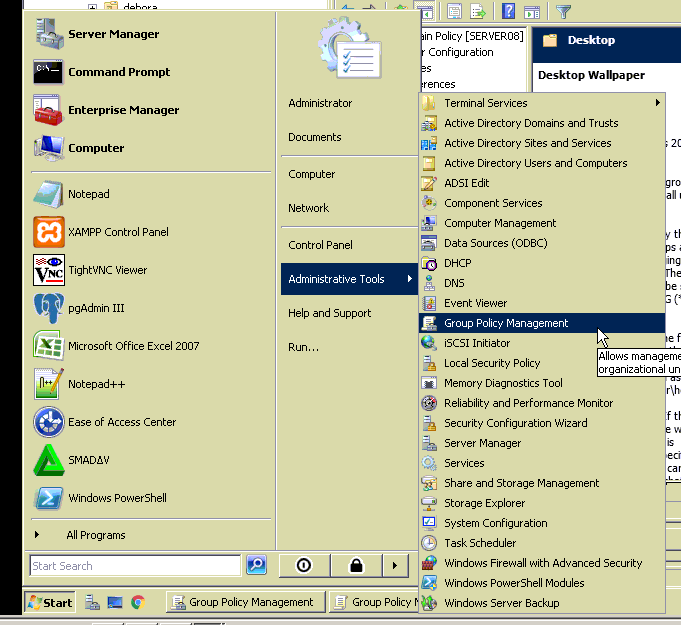
1. open group policy management


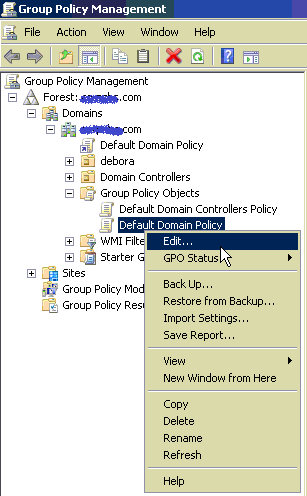
2. Right click and edit on the Default Domain Policy

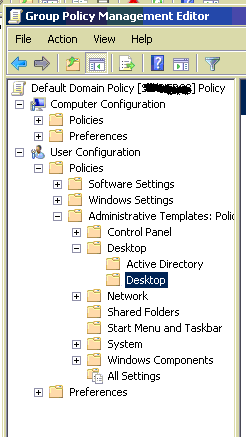
3. Select User configuration - Policies - Administrative templates - Desktop - Desktop

4. Double click Desktop wallpaper on the right pane
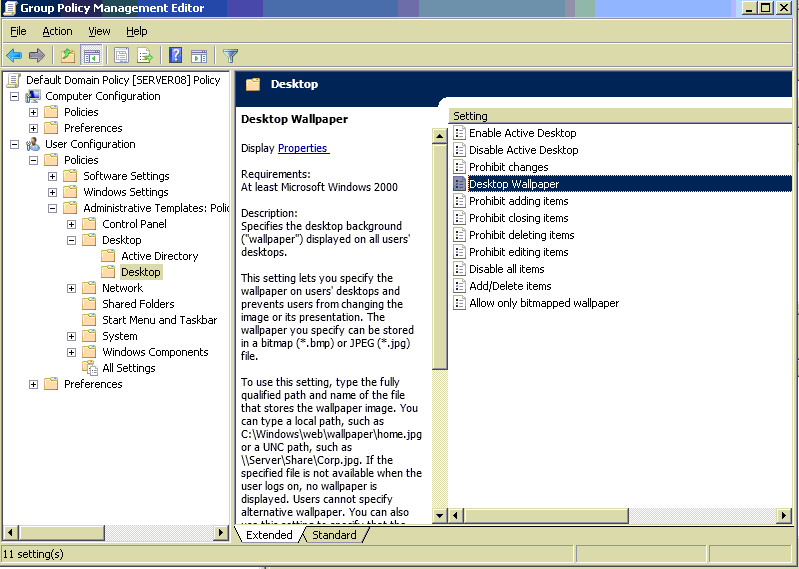
 

5. Place your background image file on a shared folder.
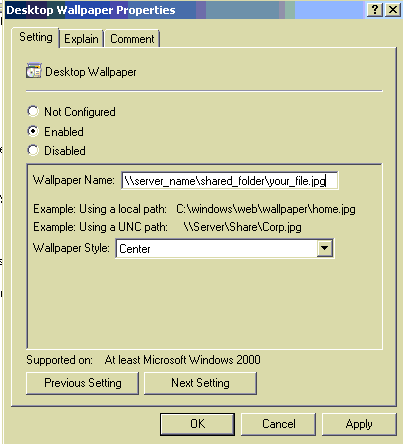

6. [I don't know this command is necessary or not] Run : gpupdate /force

7. Logoff and login again (Or restart) on the client computer


My environment :
Server : windows server 2008 (domain controller)
Client : windows XP (join domain)

Tuesday, July 14, 2015

Windows server boot problem


I got this error after restore windows server 2008 using clonezilla. To fix it, boot to Windows Server 2008 DVD, enter command line, use this command :


bootrec /scanos

Bcdedit /export C:\BCDBkp

ren c:\boot\bcd bcd.old

Bootrec /rebuildbcd


Reference :